

How to Start a Faceless YouTube Channel with Free AI Tools in Pakistan (2026 Earning Guide)
How to Start a Faceless YouTube Channel with Free AI Tools in Pakistan (Complete 2026-27 Guide with Latest YouTube Rules)
Most people in Pakistan think YouTube is only for those who have a good camera, a nice room, and the confidence to talk in front of people. If you are a student, a freelancer, a housewife, or simply a shy person, you may have felt that YouTube is "not for me".
Good news: it is for you. A faceless YouTube channel (ایسا چینل جس میں آپ کا چہرہ نظر نہیں آتا) is a channel where you never show your face. You only use a voice (your own or AI), pictures, video clips, and simple animations. You can make it from a normal laptop or even a mobile phone.
But in 2026 the game has changed. YouTube has become stricter against low-quality AI videos, and from 1 February 2027 it will become harder for new channels to get monetized (یعنی کمائی شروع کرنے کی منظوری). This guide is fully updated for 2026-27, so you do not waste months on old advice. Everything is explained step by step, in easy words, with real examples.
- Big YouTube updates for 2026-27 (must read first)
- What is a faceless YouTube channel?
- What YouTube wants: "authentic" content, not AI junk
- How to choose your niche (with Pakistani examples)
- Step 0: Create and set up your channel
- The 7-step video workflow (with one full example)
- Monetization rules for AI content
- Watch hours explained with easy maths
- Your first 90-day action plan
- Best free and freemium tools
- 10 mistakes that kill faceless channels
- How to get paid in Pakistan
- Other ways to earn from the same channel
- Frequently asked questions
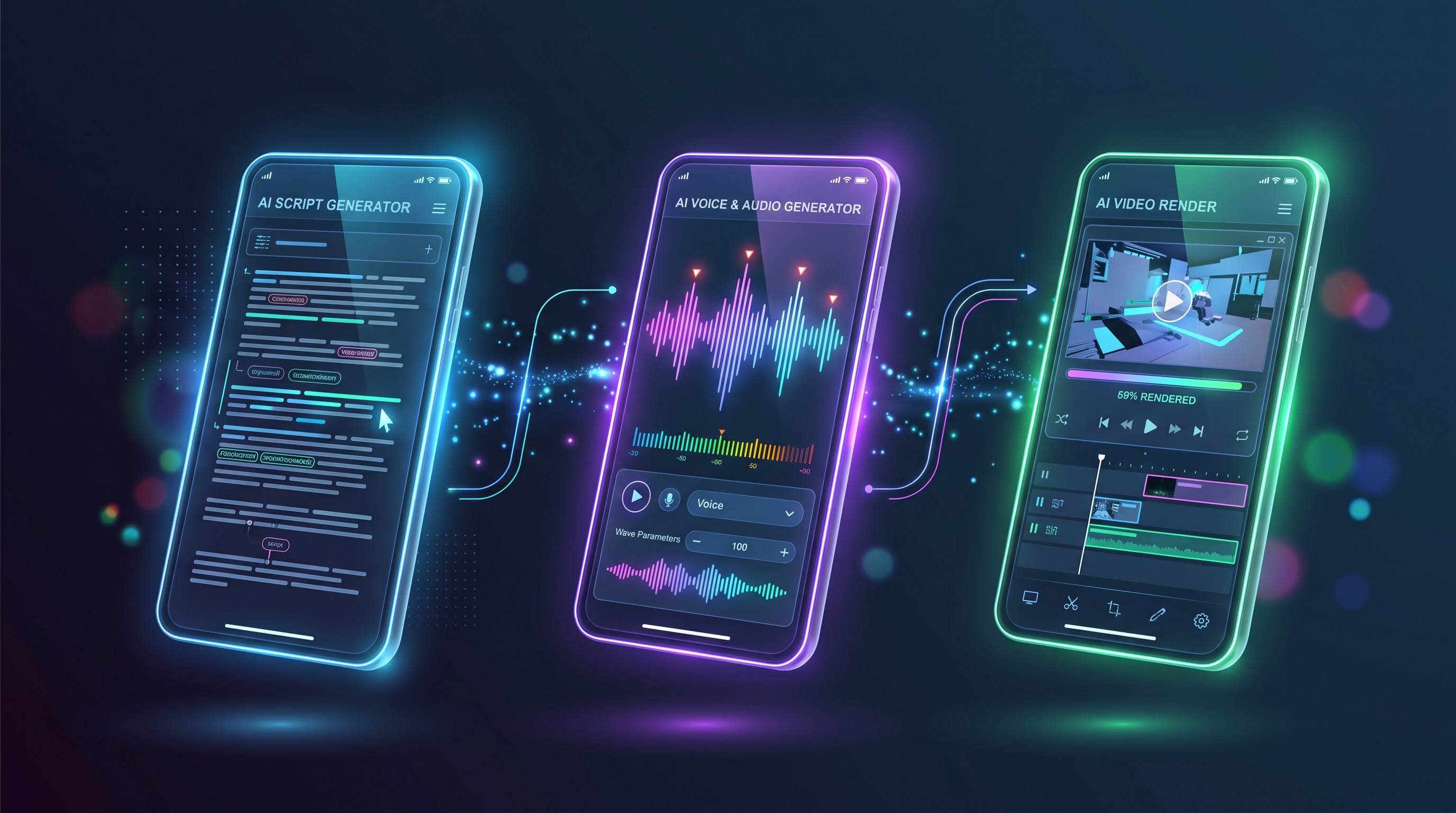
The core formula: 1) Pick one clear niche and study what people search, 2) Write an original script with your own ideas using Gemini or ChatGPT as a helper, 3) Record your own voice or carefully edit an AI voice, 4) Add useful visuals and captions in CapCut, 5) Make a strong thumbnail in Canva, 6) Upload with correct settings and disclosure, 7) Stay consistent for 6 to 12 months, then get paid by AdSense through a bank wire transfer.
📺 Watch the Complete Video Tutorial
Prefer watching over reading? Here is our full step-by-step masterclass covering everything demonstrated in this guide:
1. Big YouTube Updates for 2026-27 (Must Read First)
Many old blogs and YouTube videos still say "get 1,000 subscribers and 4,000 hours in 60 days and become rich". That advice is outdated. Here is what is really happening now:
- Repetitious content became "Inauthentic content" (July 2025). YouTube renamed this policy so it is clear that mass-produced or repeated videos made like a template (ایک ہی سانچے میں بنائی گئی بے شمار ویڈیوز) are not eligible for monetization. Reports say a bigger enforcement wave followed in January 2026. YouTube also clearly said that using AI does not automatically stop monetization.
- New channels will need double watch time from 1 February 2027. Today a new applicant needs 1,000 subscribers and 4,000 public watch hours in the last 12 months (or 10 million Shorts views in 90 days). From 1 February 2027, new applicants will need 1,000 subscribers and 8,000 qualified public watch hours (or 20 million Shorts views in 90 days). YouTube announced this in August 2026.
- Existing partners are not removed. If you are already in the YouTube Partner Program, you keep earning, but you must accept the new terms in YouTube Studio before 31 January 2027 and keep your channel "active" (for example by uploading regularly).
- The lower 500-subscriber tier (fan funding like memberships and Super Chat) exists in many countries, but it is not available everywhere. Pakistan creators should check their own YouTube Studio → Earn section instead of trusting random videos.
- AI disclosure is required for realistic fake-looking content. If your video shows realistic scenes, people, or voices that look real but are made or changed by AI, you must switch on YouTube's "altered or synthetic content" label.
If you are starting today (October 2026), reaching 4,000 hours before 1 February 2027 is very difficult for a brand-new channel. So please plan for 8,000 hours and treat any earlier approval as a bonus. This is not bad news. It only means you must build a real channel with real quality, not a spam channel. Real channels last for years.
2. What Is a Faceless YouTube Channel?
A faceless channel (people also call it a "cash-cow channel") is a channel where the owner does not appear on camera. Instead, the video uses:
- Stock video clips (پہلے سے بنی ہوئی ویڈیو کلپس) from free sites
- Pictures, charts, and simple animations
- Screen recordings (for example, showing how to use a website)
- A voiceover (پس منظر کی آواز) - your own voice or AI voice
- Text on screen and subtitles (نیچے لکھے الفاظ)
Think about a channel that explains "How to get your first client on Fiverr". The video has no person on screen. It shows screenshots of Fiverr, simple slides, arrows, and a clear voice explaining each step. Viewers do not care who is speaking. They care that the video solves their problem. This is exactly what a faceless channel does.
Why do people choose English faceless channels? Because the audience in USA, UK, Canada, and Australia usually brings higher advertising rates. CPM means the money advertisers pay for 1,000 ad views, and RPM means what you actually receive per 1,000 video views after YouTube takes its share. These numbers change by topic, country, and season, so never trust anybody who promises a fixed income. As a general rule, an audience from richer countries and money-related topics pay more than a mostly Pakistani audience.
3. What YouTube Wants: "Authentic" Content, Not AI Junk
You must understand this section, because most beginners fail here.
By 2025-26 YouTube was flooded with what people call "AI slop" (بے کار، بغیر محنت کی AI ویڈیوز): the same robotic voice, same stock clips, same script style, hundreds of videos a month. YouTube's inauthentic content policy targets exactly this "mass-produced or repetitive" style. And reports say YouTube now reviews the whole channel, not only one video.
| Looks like spam (risky) ❌ | Looks like a real channel (safe) ✅ |
|---|---|
| Every video has the same template, same hook, same clips | Each video has a new idea, new structure, and new examples |
| Robotic voice reading ChatGPT text word by word | Script is edited by you, with your opinions, examples, and Pakistani context |
| Random clips that do not match the words | Every visual explains the sentence being spoken |
| Copy-pasting from Wikipedia or other YouTubers | Your own research from 3 to 5 sources, explained in your own words |
| 10 videos per day | 2 to 4 quality videos per week |
Two channels both make videos about "Top 5 freelancing skills". Channel A pastes a ChatGPT list, adds a robot voice, and uploads. Channel B researches real job listings, shows screenshots, adds the story of a Pakistani freelancer, and explains how to learn each skill free. Both use AI tools, but only Channel B has "human value" (انسانی محنت اور فائدہ). YouTube is happy with Channel B.
Golden rule: AI is your assistant, not your boss. Let it help with ideas, drafts, and speed. You add the thinking, the examples, and the quality check.
4. How to Choose Your Niche (With Pakistani Examples)
A niche (آپ کے چینل کا مخصوص موضوع) is the main topic of your channel. Choose one. A channel that posts cooking, cricket, and crypto together confuses both viewers and YouTube.
The 3-question niche test
- Can I explain this topic for 50 videos without getting bored? If you can't, choose another.
- Do people search for it every day? Type your topic in the YouTube search bar. If many suggestions appear, people are searching.
- Is there a way to earn besides AdSense? For example affiliate links, your own product, or services.
Good faceless niches for 2026-27
- Personal finance and saving ideas (budgeting, inflation, simple investing concepts). Example video: "How to Save Money on a Small Salary".
- AI tools and tech tutorials. Example: "How to Make a Logo with Free AI Tools - Step by Step". Screen recording works perfectly here.
- Freelancing and online earning skills. Example: "How to Write a Fiverr Gig Description That Gets Orders".
- Business case studies and history. Example: "How a Small Bakery Became a Big Brand" with charts and timelines.
- Study help and exam tips (English-speaking students worldwide or Urdu for Pakistani students).
- Productivity and career tips. Example: "5 Free Tools to Finish Office Work Faster".
English gives access to a global audience and usually higher ad rates, but competition is high. Urdu has a huge Pakistani audience and less competition, but ad rates are usually lower. A smart beginner idea: start with one language, build quality, and later add the second language with a separate channel instead of mixing both in the same videos.
5. Step 0: Create and Set Up Your Channel Properly
Before making the first video, do this basic setup. It takes only 30 minutes but saves many problems later.
- Make a new Gmail account only for your channel, for example yourniche.channel@gmail.com. Use a strong password and switch on 2-step verification (دو مرحلوں والی سیکیورٹی) with your phone number.
- Create the channel: open YouTube → click your profile picture → "Create a channel" → choose your channel name.
- Channel name: short, easy to spell, and related to your topic. Avoid very long names with numbers.
- Verify your phone number in YouTube Studio → Settings → Channel → Feature eligibility. This unlocks 15-minute+ videos and custom thumbnails.
- Add your profile picture and banner (make them in Canva - banner size 2560 x 1440 pixels).
- Write the "About" section: in 3 to 4 simple lines, say what videos you make and how often you upload. Example: "Every week I explain easy ways to learn online skills using free tools. New videos every Tuesday and Friday."
- Set your country as Pakistan (Settings → Channel → Basic info). This is important for monetization and payments.
Important: Use your real name on AdSense later (the same as your CNIC and bank account). Keep this in mind from day one.
6. The 7-Step Video Workflow (With One Full Example)
We will follow one complete example video through all steps so you can copy the method. Our example topic: "5 Mistakes New Freelancers Make on Fiverr (and How to Fix Them)" for a freelancing channel.
Step 1: Find a Video Idea That People Actually Search
The biggest beginner mistake is making a video about something nobody is looking for. Do this research first (it takes 20 minutes):
- YouTube search autocomplete: type "fiverr mistakes" in YouTube search and note the suggestions that appear below. These are real searches.
- Check the top 5 videos: how many views do they have? Are they recent? What do the comments ask? Comments are a free "idea mine" (خیالات کی کان).
- Find a gap: if everyone makes a general video, you can make a more specific one, like "Fiverr mistakes for beginners from Pakistan".
You can also ask AI for ideas:
Tip: Never trust AI numbers or facts blindly. Always check important facts on official websites.
Step 2: Write an Original Script (The Heart of Your Video)
The script is the most important part. A good script keeps people watching, and watch time is what YouTube rewards.
Use this simple structure
- Hook (first 15-30 seconds): tell the viewer what problem you will solve and what they will get. Example: "Most beginners lose their first 10 Fiverr orders because of five silly mistakes. In this video I will show you each mistake and the exact fix."
- Body (main part): explain each point with one real example. Keep each point around 1 to 2 minutes.
- Mini summary: a short recap near the end.
- Call to action (last 10 seconds): ask for one small thing only, like "watch the next video about gig titles".
How long should the script be?
Normal speaking speed is about 130 to 150 words per minute. So:
- 5-minute video ≈ 700 words
- 8-minute video ≈ 1,100 words
- 10-minute video ≈ 1,400 words
For watch hours, 8 to 12 minute videos usually work better than very short ones, but only if every minute is useful. Never add "filler" (بھرتی کی باتیں) just to make a video longer.
Now make the script yours (very important)
- Read it aloud. Delete any line that sounds like a robot.
- Replace general examples with your own or real ones (Pakistani rupees, Pakistani examples, familiar situations).
- Check facts. Remove anything you cannot verify.
- Add one small personal opinion or tip that AI could not know.
Step 3: Voiceover - Your Voice or AI Voice?
This is a decision many beginners get wrong.
| Option | Pros | Cons |
|---|---|---|
| Your own voice (recommended) | 100% original, builds trust, safest for monetization | Needs a quiet room and a little practice |
| AI voice with human editing | Good if you are shy or your English accent is a worry; saves time | Sounds robotic if you do not edit pauses and speed |
If you record your own voice
- Use your phone's voice recorder or free software like Audacity. Put the phone about a hand's width from your mouth.
- Record in a quiet room. A cupboard with clothes, or a room with a blanket on the wall, reduces echo (گونج).
- Speak slowly and smile a little. It changes the tone.
- Clean the noise using CapCut's "Reduce noise" or free tools.
If you use an AI voice
- Use tools like ElevenLabs (free plan has limited characters), Microsoft Clipchamp's natural voices, or similar text-to-speech tools. Plans and free limits change, so check the current limit on the website.
- Choose a calm, natural voice. Avoid voices that sound too perfect or too fast.
- Add punctuation: commas and full stops create natural pauses.
- Generate small parts (paragraph by paragraph) so you can fix a wrong word without redoing everything.
- Never copy a real person's voice (like a famous actor or politician). This is both an ethical and a policy risk.
A plain AI voice reading your own original script is not automatically against the rules. The risk comes when everything is repetitive, low effort, and mass-produced. So even with AI voice, keep your editing, examples, and visuals strong.
Step 4: Collect Visuals That Match Your Words
Every sentence should have a picture or clip that helps the viewer understand. Here are your free sources:
- Pexels and Pixabay: free stock videos and photos. Always read the license on each file.
- Canva: make simple slides, charts, arrows, and title cards.
- Screen recording: record your own screen using the built-in tools on Windows (Win + G) or on a phone to show how to do a task. This is the most original type of faceless content.
- Your own simple graphics: lists, timelines, comparison tables.
When the voice says "Mistake 1: a boring gig title", the screen shows a sample bad title and a better title side by side, with a red cross and a green tick. This is far better than showing a random clip of a man typing on a laptop.
Do not download clips from other YouTubers, movies, or news channels. That causes copyright strikes and "reused content" problems. Also avoid copyrighted songs. Use YouTube Studio's free Audio Library for background music.
Step 5: Edit in CapCut (Easy Beginner Method)
- Open CapCut (desktop or mobile) → New project → import your voiceover.
- Put the voiceover on the timeline first. The voice is your "skeleton" (بنیاد).
- Place visuals above the voice, clip by clip, so the picture changes every 4 to 8 seconds. This keeps the video lively.
- Click Captions → Auto captions → choose the language → generate. Then read and fix mistakes in the subtitles. Wrong subtitles look careless.
- Add soft background music at a low volume (10-15%) so the voice is always clear.
- Add simple zoom or text highlights for important words. Do not overdo transitions.
- Export in 1080p, 16:9 for long videos (9:16 for Shorts).
Step 6: Make a Click-Worthy Thumbnail and Title
Your thumbnail (ویڈیو کی چھوٹی تصویر) and title decide whether people click. A great video with a weak thumbnail gets few views.
Thumbnail rules
- Size: 1280 x 720 pixels, under 2 MB.
- Use only 3 to 5 big words. Mobile screens are small.
- Use high contrast colors (dark background + bright text).
- One clear idea: a problem, a result, or a question.
- Do not use fake or misleading pictures. Your title and thumbnail must match the video content.
Title rules
- Keep the main keyword near the start. Example: "Fiverr Mistakes Beginners Make (and How to Fix Them)".
- Under 60 characters so the title is not cut on mobile.
- Avoid false claims like "Earn Rs. 1 lakh in 1 day".
Pro tip: Make a Canva thumbnail template and change only the text and image for the next videos. But do not make every video look 100% identical, because variety is part of looking authentic.
Step 7: Upload With the Right Settings
- Title and description: write 3 to 5 lines about what the viewer will learn, with the main keyword once or twice naturally. Do not stuff keywords.
- Chapters (timestamps): add them like 0:00 Intro, 0:30 Mistake 1... The first must be 0:00.
- Audience: choose "No, it's not made for kids" unless your content is truly for children.
- Altered or synthetic content: answer honestly. If your video contains realistic people, places, or events that were made or heavily changed with AI, choose "Yes". A normal AI voice reading an original script, with obviously illustrated or stock visuals, is generally not the main case, but check YouTube's current help page if you are unsure.
- Language and captions: upload your corrected subtitles for better reach.
- Playlist: add the video to a topic playlist so viewers watch the next one automatically.
- Upload time: choose a regular schedule, for example Tuesday and Friday at 7 pm. Consistency (تسلسل) builds audience habit.
A great video without a high-converting thumbnail gets very few views. Stop wasting hours designing from scratch.
- Get access to our 500+ E-Commerce & Social Media Canva Templates (Now just Rs. 999) - fully customizable for YouTube banners, thumbnails, and viral reels!
- Selling digital goods or running an agency alongside YouTube? Check our Freelancer & Agency Business Suite (Rs. 1,299) for automated tax guides, invoice tools, and proposals.
- Always optimize your graphics: Use our 100% free WebP Image Optimizer to compress images locally in your browser.
7. Monetization Rules for AI-Assisted Content
Many creators in Pakistan are afraid that "AI means no monetization". That is not true. YouTube has said that channels using AI can remain eligible. But your content must be original, useful, and not mass-produced. Here is a clear comparison:
| Usually OK ✅ | High risk ❌ |
|---|---|
| Original script + voiceover + helpful visuals + real editing | Same template repeated across many videos with tiny changes |
| Educational explanation, tutorial, or commentary with your own value | Reading someone else's article or video again in a new voice |
| Honest AI label when realistic AI visuals or voices are used | Deepfakes, fake news, fake celebrity voices, or misleading AI scenes |
| 2 to 4 carefully made videos each week | Dozens of auto-generated videos with almost no human checking |
| Free-to-use music and clips with correct license | Copyrighted movie clips, songs, or other creators' videos |
Some people sell courses claiming "100% approval trick" or "bypass YouTube AI detection". These are lies. YouTube reviews the whole channel, and a human reviewer can check it too. The only safe method is real quality.
8. Watch Hours Explained With Easy Maths
Watch hours (دیکھنے کے گھنٹے) mean the total time viewers spend watching your public long videos in the last 12 months. Shorts watch time does not count toward the long-video watch-hour requirement. Private, unlisted, and deleted videos also do not count.
Suppose your video is 8 minutes long and viewers watch on average 4 minutes (this is called 50% average view duration).
- 1 viewer = 4 minutes = 0.067 hours
- For 4,000 hours: 4,000 × 60 = 240,000 minutes ÷ 4 = 60,000 views
- For 8,000 hours: 8,000 × 60 = 480,000 minutes ÷ 4 = 120,000 views
If you improve your video so viewers watch 5 minutes instead of 4, you need only 96,000 views for 8,000 hours. That is why retention (ناظرین کا آخر تک رکنا) is more powerful than just "more videos".
What about the 1,000 subscribers?
Subscribers come when viewers trust you. Two easy tricks: (1) at the right moment, say "If you want the next part of this series, subscribe so you don't miss it", and (2) make a series, so viewers have a reason to come back.
What about Shorts?
Shorts can bring subscribers fast, but the Shorts route to monetization needs a very high number of views (10 million today, 20 million from February 2027 for new applicants). For most beginners, the long-video watch hour route is more realistic. A good strategy: use Shorts as small "trailers" to attract viewers to your long videos.
Check your real eligibility
Always open YouTube Studio → Earn. It shows your current progress and the exact requirements available for your country. Rules differ by country and change over time, so this page is your final authority.
9. Your First 90-Day Action Plan
| Time | What to do | Goal |
|---|---|---|
| Week 1 | Choose niche, create Gmail and channel, design logo and banner, research 30 video ideas | Strong foundation |
| Weeks 2-4 | Publish 6 to 8 videos. Learn the editing flow. Do not worry about views. | Practice + first data |
| Month 2 | Open YouTube Studio → Analytics. Check which video had the best click rate and retention. Make 2 similar videos. | Find what works |
| Month 3 | Start 1 series (for example "Freelancing for Beginners - Part 1, 2, 3..."). Add Shorts as trailers. Improve your first 30 seconds. | Return viewers |
Honestly, many channels take 6 to 12 months or more to qualify, and some never do because they stop early. The old claim of "monetized in 60 to 90 days" is possible only for a very small number of lucky channels. Plan for a long game, and you will be pleasantly surprised if it comes earlier.
10. Best Free and Freemium Tools Comparison
| Tool | Used for | Plan |
|---|---|---|
| Google Gemini / ChatGPT | Idea research, script drafts, title ideas | Free plans (with limits) |
| YouTube search + Studio Analytics | Real keyword ideas and performance data | Free |
| Microsoft Clipchamp | Basic editing and natural text-to-speech | Free with limits |
| ElevenLabs | Realistic AI voices | Free trial / limited monthly characters |
| CapCut | Editing, captions, noise reduction | Free + paid features |
| Audacity | Recording and cleaning your own voice | Free |
| Pexels / Pixabay | Free stock videos and photos | Free (check license) |
| Canva | Thumbnails, banners, slides | Free and Pro |
Free limits, prices, and features of these tools change often. Always check the official website before depending on one tool.
11. 10 Mistakes That Kill Faceless Channels
- Posting without a niche. Random topics confuse the audience.
- Copy-pasting AI scripts. Viewers leave in 10 seconds.
- Using copyrighted clips or music. Leads to strikes and lost income.
- Weak first 30 seconds. If the hook is boring, retention falls.
- Clickbait thumbnails. People click once, then leave and never return.
- Uploading too many low-quality videos. Quality beats quantity.
- Buying subscribers or watch hours. It can ban your channel and AdSense forever.
- Ignoring comments. Comments give you your next 10 video ideas.
- Quitting in month 2. Most growth happens after consistent months.
- Giving fake income promises. Hurts your reputation and breaks platform rules.
12. How to Get Paid in Pakistan (Step by Step)
After your channel is accepted into the YouTube Partner Program (یوٹیوب پارٹنر پروگرام), your money comes through Google AdSense. YouTube generally pays creators about 55% of ad revenue on long videos, and AdSense pays out monthly once you cross the payment threshold.
Step-by-step payment setup
- Apply for YPP: when you meet the requirements, YouTube Studio → Earn → Apply. Accept the terms.
- Link or create AdSense: use your real name exactly as on your CNIC. Enter your Pakistani address correctly.
- Verify your address: Google may mail a PIN (پن کوڈ) to your address when your earnings reach a small level. Make sure your address is complete (house, street, city, postal code) and a family member can receive the post. Enter the PIN in AdSense after it arrives.
- Verify your phone number if AdSense asks.
- Add tax information: in AdSense → Payments → Manage settings → Tax info. Google asks YouTube creators to submit US tax information because many viewers are from the US. Fill it honestly and carefully. If you are unsure, ask a qualified tax advisor.
- Add your bank account for wire transfer: use your own bank account in the same name as your AdSense profile. You need your IBAN and the bank's SWIFT/BIC code (بینک کا بین الاقوامی کوڈ). Ask your bank branch which wire transfer details to use.
- Reach the payment threshold: Google generally pays when your balance reaches US$100 (or the threshold shown in your AdSense account). Payments are usually released between the 21st and 26th of the following month, if there is no hold.
- Receive money in your bank: some banks deduct their own incoming-payment charges, and conversion rates apply. Check these with your bank.
- Never share your AdSense or Gmail password with anyone, even "agency" people.
- Never click your own ads or ask friends to click. It will ban your account.
- Do not use someone else's name or CNIC for AdSense. Payment problems and account closure may follow.
Taxes in Pakistan
Income from abroad is normally taxable income in Pakistan, and the rules (including treatment for freelancers and exporters of services) can change in the budget each year. The safest approach is: file your tax return, keep proof of foreign remittances (بیرون ملک سے آنے والی رقم), and talk to a tax consultant if your income grows. See our step-by-step FBR Tax Return Registration Guide to remain on the Active Taxpayer List.
Simple earning formula (only for understanding)
Earnings = (Views ÷ 1,000) × RPM. If a video gets 100,000 views and your RPM is, say, $2, then earnings are 100 × $2 = $200. If your RPM is $0.50, the same views earn $50. RPM depends on topic, audience country, and season. Check your real RPM in YouTube Studio → Analytics → Revenue, and do not copy numbers from random videos.
13. Other Ways to Earn From the Same Channel
With the new, higher entry bar, smart creators do not depend only on AdSense. A good channel can earn from:
- Affiliate links: recommend tools you really use and put your link in the description (always say it is an affiliate link).
- Your own digital products: templates, checklists, small courses, e-books.
- Freelance or service leads: viewers who like your explanation may hire you for the same skill.
- Sponsorships: small brands pay for mentions once you have an engaged audience.
- Memberships and Super Chat: only if these features are available to your country and channel.
Even before YouTube approval, you can earn from the audience you are building. That is real business thinking (کاروباری سوچ).
14. Frequently Asked Questions
Can I make faceless videos using only my mobile phone?
Yes. CapCut Mobile, Canva, and AI writing tools all work on Android and iPhone. A laptop is easier for long videos, but it is not compulsory.
Is a faceless channel allowed to be monetized?
Yes. "Faceless" is not a problem. The problem is low-effort, repetitive, mass-produced content. A faceless channel with original scripts, useful visuals, and real value can qualify.
Is AI voice allowed on YouTube?
Yes, AI voice itself is not banned. But a robotic voice with template-style videos is risky. Better: use your own voice, or edit an AI voice carefully, and never imitate a real person's voice.
How long will it take to get monetized now?
There is no fixed time. Many channels need 6 to 12 months or more, depending on niche, quality, and consistency. From February 2027, new applicants will need 8,000 qualified watch hours (or 20 million Shorts views), so it may take longer. Focus on making each video better than the last.
I already applied or got monetized. Do the new rules affect me?
The higher thresholds apply to new applicants after 1 February 2027. Existing partners keep their status but must accept the updated terms in YouTube Studio by 31 January 2027 and keep their channel active.
Do I need to disclose AI use?
You must label realistic content that could mislead viewers into thinking it is real (for example, realistic AI-generated people or events). An ordinary narration over clearly illustrative visuals usually does not need the label, but when in doubt, check YouTube's official help pages or choose to be transparent.
Can I earn money from a Pakistani audience?
Yes, but the ad rates from Pakistan are usually lower than rates from countries like the USA or UK. Many Pakistani creators therefore combine AdSense with affiliate marketing, services, or their own products.
Can I buy a monetized channel or subscribers?
No. Buying channels, subscribers, or watch hours is risky and can lead to permanent bans. Build your channel slowly and honestly.
How much money do I need to start?
You can start with zero rupees using free tools, a phone or laptop, and an internet connection. Later, if you want, you can pay for better tools or a microphone.
Final advice: Treat your faceless channel like a small online business, not a lottery ticket. Choose a niche you can explain well, make every video useful, stay consistent, and keep checking YouTube's official updates. If you do this for 12 months, you will have a real asset in your hands, whether or not YouTube's rules change again.
Ready to build a steady dollar income from Pakistan? Explore our Free Digital Utilities Suite to edit PDFs, compress image assets, and calculate courier logistics effortlessly!
Disclaimer: YouTube policies, eligibility thresholds, CPM/RPM rates, AdSense terms, tax rules, and banking charges change from time to time and may differ by country. This article is for education only and is not financial, tax, or legal advice. Please verify the latest rules in YouTube Studio, YouTube Help, and with your bank or tax consultant before making decisions.


